Settings & Account
Your Account settings control everything from your profile and nutrition goals to privacy, notifications, and data. Here's a walkthrough of every section.
Last updated: April 2026
How to Open Settings
Tap your profile picture in the top-right corner of the Hub screen. The Account page opens with all your settings.
Profile
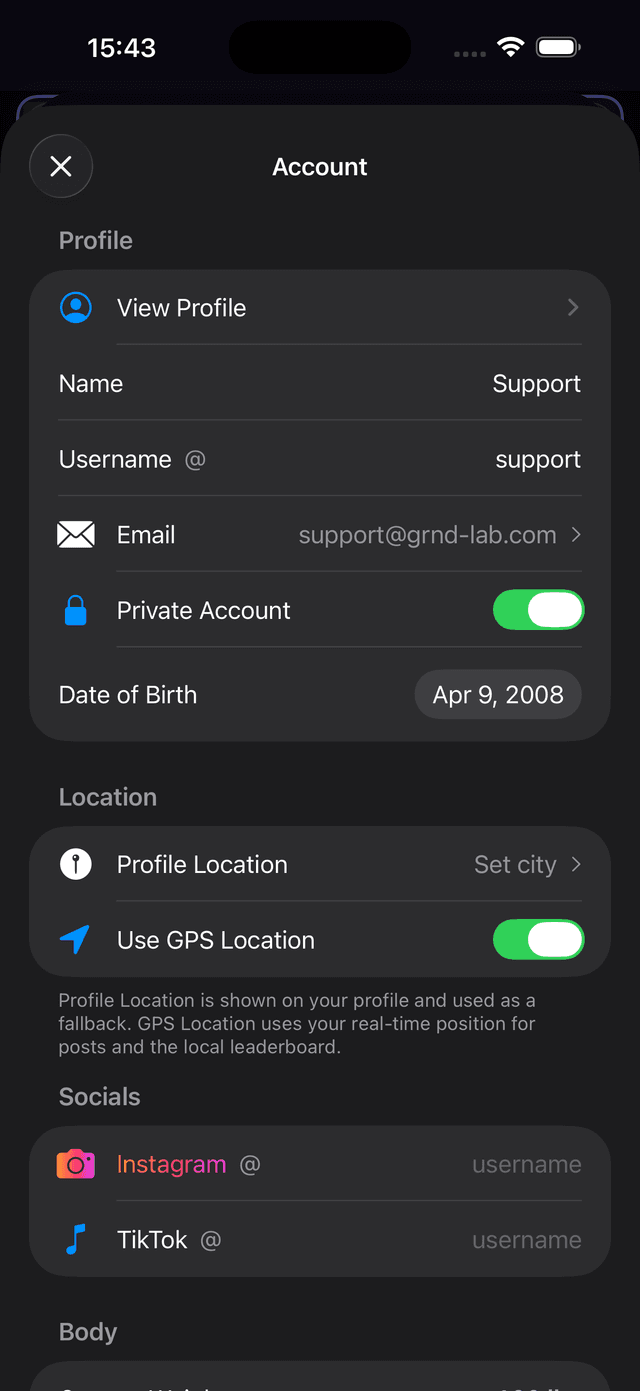
The top of the Account page covers your identity and visibility.
View Profile
Tap to see your profile as other users see it.
Name, Username & Email
Your display name, @username, and email address. The username is how others find and mention you.
Private Account
Toggle on to make your account private. Only approved followers will be able to see your posts and progress.
Location
Set your Profile Location (displayed on your profile and used as a fallback) and toggle Use GPS Location for real-time positioning on posts and the local leaderboard.
Socials
Link your Instagram and TikTok usernames to your profile so others can connect with you on other platforms.
Body & Nutrition
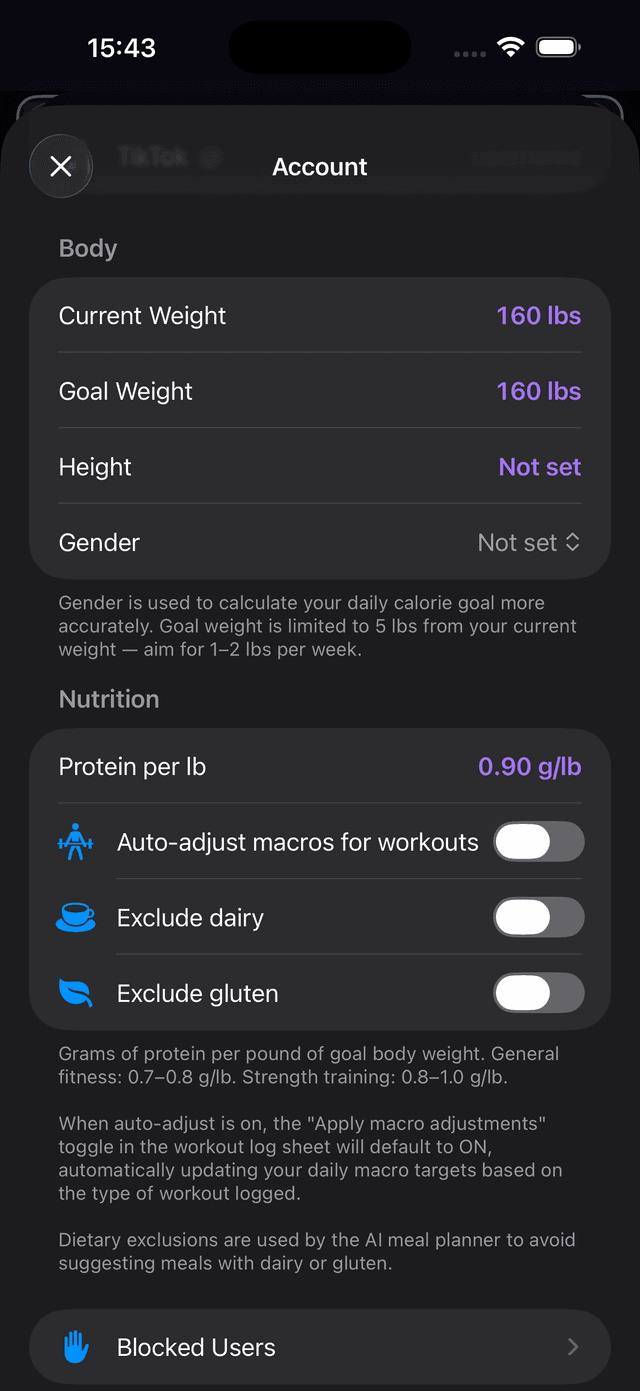
These settings determine how your daily macro goals are calculated.
Body
Current Weight & Goal Weight
Your current and target weight in pounds. Goal weight is limited to 5 lbs from your current weight — aim for 1–2 lbs per week for healthy progress.
Height & Gender
Used to calculate your daily calorie goal more accurately.
Nutrition
Protein per lb
Grams of protein per pound of goal body weight. General fitness: 0.7–0.8 g/lb. Strength training: 0.8–1.0 g/lb. This directly sets your daily protein target.
Auto-adjust Macros for Workouts
When enabled, the workout log sheet will default the “Apply macro adjustments” toggle to ON, automatically updating your daily macro targets based on the type of workout logged.
Exclude Dairy & Exclude Gluten
Dietary exclusions used by the AI meal planner to avoid suggesting meals with dairy or gluten ingredients.
Features & Notifications
Control which features are enabled and how the app notifies you.
Blocked Users
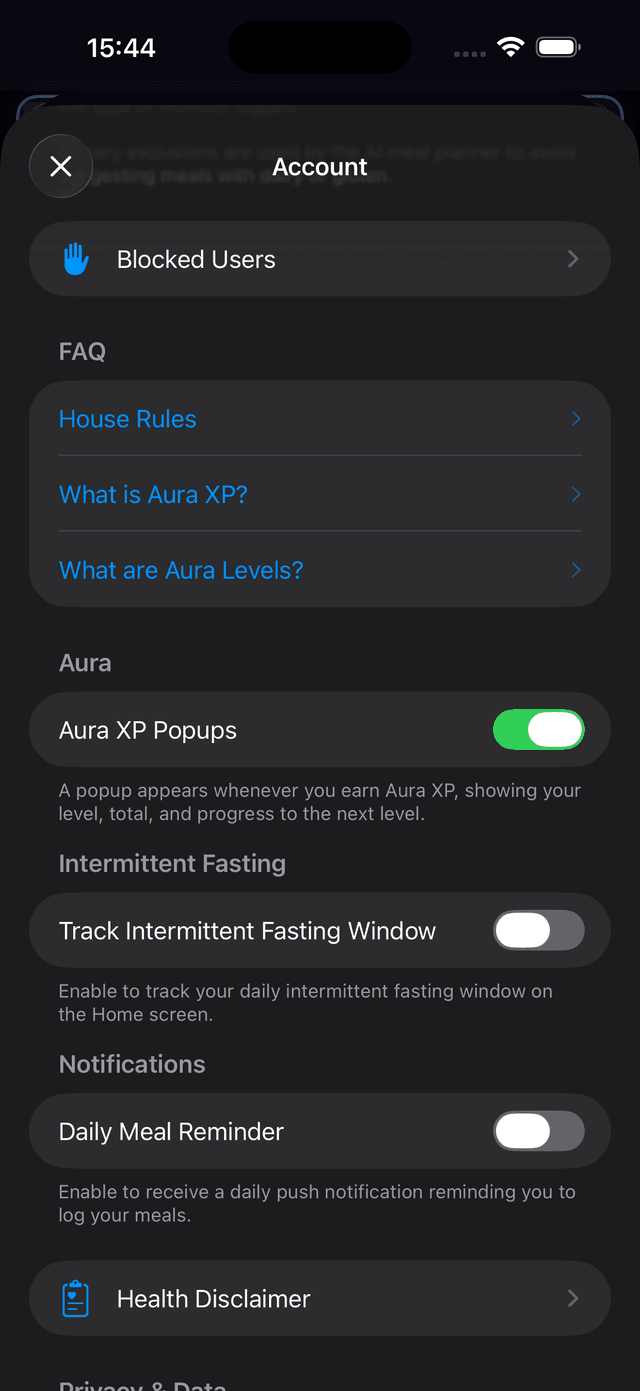
View and manage your list of blocked users.
FAQ
Quick links to House Rules, What is Aura XP?, and What are Aura Levels? — learn how the gamification system works.
Aura XP Popups
Toggle on to show a popup whenever you earn Aura XP, displaying your XP gain, total, and progress to the next level.
Track Intermittent Fasting Window
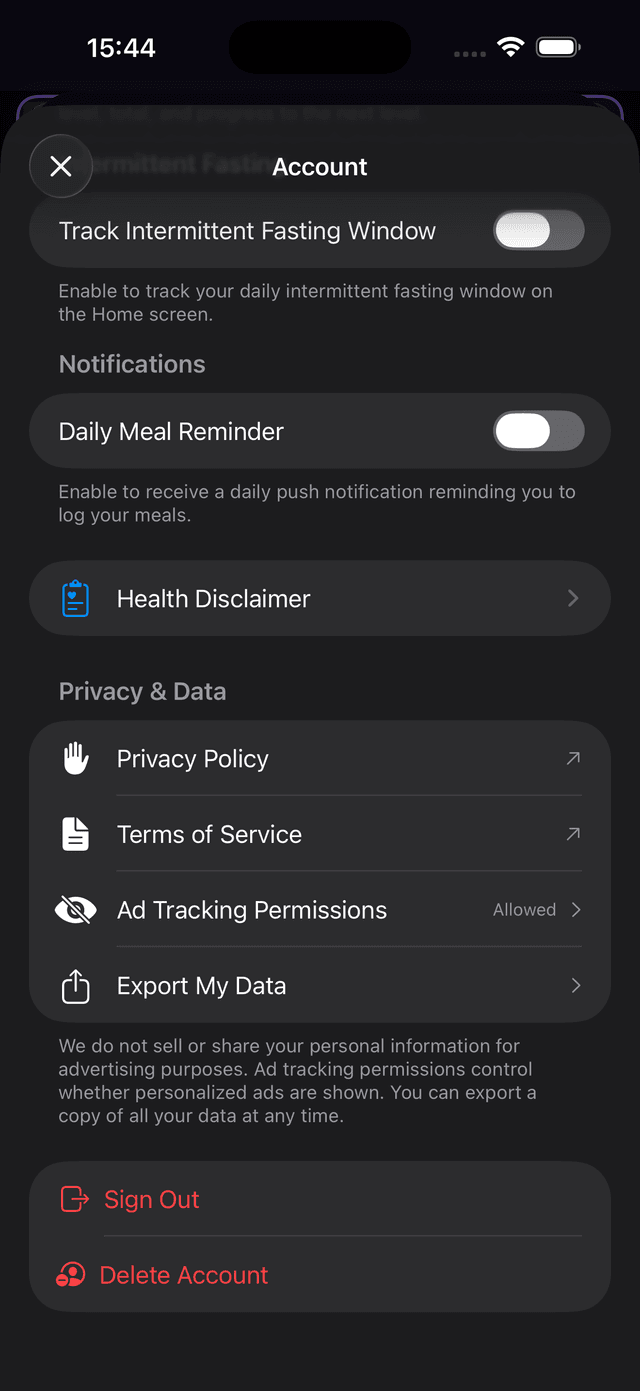
Enable this to display your daily intermittent fasting window on the Home screen, showing when your eating window starts and ends.
Daily Meal Reminder
Toggle on to receive a daily push notification reminding you to log your meals. Helps you stay consistent with tracking.
Privacy & Data
At the bottom of the Account page, manage your privacy and data.
Health Disclaimer
Review the health disclaimer for using macro tracking and nutrition features.
Privacy Policy & Terms of Service
Links to the full Privacy Policy and Terms of Service.
Ad Tracking Permissions
Control whether personalized ads are shown. Macromaxxing does not sell or share your personal information for advertising purposes.
Export My Data
Download a copy of all your data at any time.
Sign Out & Delete Account
Sign out of your account, or permanently delete it along with all your data. Account deletion cannot be undone.